
Website Migration and Launch Checklist
Move the website without losing control of the domain, email, forms, search paths, data, or recovery options.
A website migration is a dependency project. Files and databases matter, but so do domains, DNS, certificates, email records, forms, analytics, redirects, licenses, scheduled jobs, webhooks, account ownership, backups, and the ability to restore the previous state. Inventory first, then move through a controlled acceptance plan.
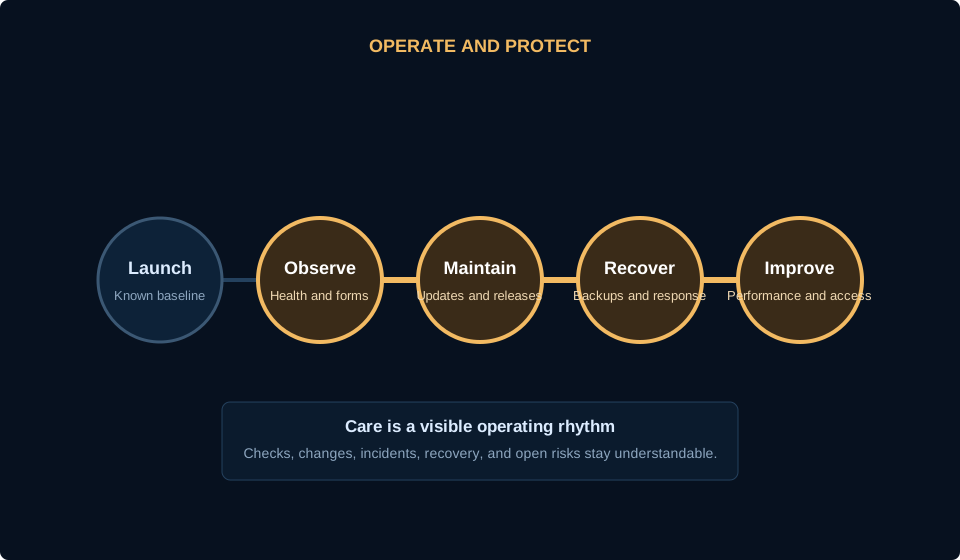
Inventory the complete operating surface
Record the current domain registrar, DNS host, nameservers, hosting, control panel, application version, database, email provider, certificate, CDN, forms, SMTP or mail delivery, analytics, tag manager, search verification, call tracking, payment tools, CRM, scheduled jobs, APIs, storage, and licensed components.
For each item, name the business owner, technical owner, access method, renewal date, cost, dependency, and recovery path. Test credentials before the migration window. Do not assume the current provider can recover an account quickly after a relationship ends.
Access
Verify administrator, hosting, database, registrar, DNS, email, analytics, and provider access with business-controlled recovery methods.
Dependencies
Map forms, SMTP, APIs, webhooks, storage, scheduled work, licenses, embeds, fonts, media, and external scripts.
Baseline
Capture current URLs, redirects, metadata, search data, analytics, performance, forms, screenshots, and known defects.
Prepare the destination and migration copy
Build the destination with appropriate runtime versions, storage, database settings, HTTPS, access controls, backups, mail handling, and monitoring. Keep it protected from public indexing while testing. Avoid exposing a duplicate production copy on a temporary domain.
Copy files and data using an appropriate method, then update configuration and secrets carefully. Search for environment-specific paths and URLs with structured tools where available. Freeze or reconcile changing data such as orders, bookings, comments, form submissions, and customer records during the final move.
Protected staging
Require authentication and noindex while preserving the ability to test real routes and assets.
Data plan
Choose a content freeze, incremental sync, or final delta method based on how the source changes.
Secrets and permissions
Move credentials through a secure channel, use least privilege, and remove temporary access after acceptance.
Test customer and search journeys before cutover
Test the homepage, priority landing pages, navigation, search, forms, confirmation states, email delivery, calls, booking, login, reset, checkout, support, downloads, error pages, and mobile layouts that apply to the site. Use keyboard navigation and representative viewport widths.
Crawl the source and destination. Preserve valid public URLs where practical and map every intentional change to a relevant redirect. Verify canonical URLs, robots directives, sitemap entries, structured data, OpenGraph assets, internal links, status codes, and trailing-slash behavior.
Functional paths
Run complete user journeys rather than checking only whether individual pages load.
Search continuity
Compare URL inventory, status codes, redirects, canonicals, metadata, headings, links, schema, and index controls.
Visual acceptance
Review priority pages at mobile, tablet, laptop, and wide desktop sizes with no clipping or hidden controls.
Control cutover, rollback, and the first 72 hours
Lower DNS time-to-live in advance when appropriate, schedule a low-risk window, confirm the decision maker, take final backups, sync changing data, verify destination health, then change only the required DNS records. Preserve email records unless the email service is intentionally moving.
Define rollback triggers before launch. Keep the old environment available and unchanged for an agreed period. After cutover, verify DNS, TLS, forms, email, logs, analytics, search access, critical URLs, jobs, webhooks, and customer actions from outside the administrative network.
Go or no-go owner
One accountable person reviews readiness, accepts known issues, and authorizes cutover or rollback.
Rollback
Document exactly how to restore DNS, application, data, and integrations without improvising under pressure.
Monitoring
Watch errors, availability, form delivery, email, jobs, webhooks, search coverage, analytics, and support reports after release.
Use this before the next decision.
- Domain, DNS, hosting, email, and application owners are recorded
- Credentials and recovery methods are tested
- Current URL and redirect inventory is captured
- Destination is protected from indexing during testing
- Forms, email, login, payment, and integrations are tested
- Mobile and keyboard journeys pass
- Backups and restoration steps are verified
- Cutover and rollback owners are named
- Post-launch monitoring is scheduled
Related guides
Make the migration a controlled launch, not a last-minute file move.
HostAvvy can help inventory the source, map dependencies, test the destination, and define a recoverable cutover plan.