The HostAvvy Control Center keeps service status, exact limits, renewal details, domains, invoices, and support together. Protected shortcuts open the native cPanel tool for the task.
Included
The resources and care listed with the selected plan.
Available in cPanel
Self-service hosting tools available after activation.
Requires setup
Domains, mailboxes, applications, and content configured for the account.
HostAvvy Control CenterIllustrative account view
Service statusRecorded by WHMCSVerified active
WebsitesExact plan limit
StorageExact plan limit
BandwidthExact plan limit
MailboxesExact plan limit
File Manager Email Domains SSL Status
Renewal details stay visible before the due date.
Honest limitsNo unlimited-resource bait.
Direct controlNative cPanel tools remain accessible.
Careful changesIncluded and separately scoped work stay distinct.
One account recordService, billing, and support history stay connected.
Launch-Ready Hosting
Keep WordPress setup, access, and launch checks in view.
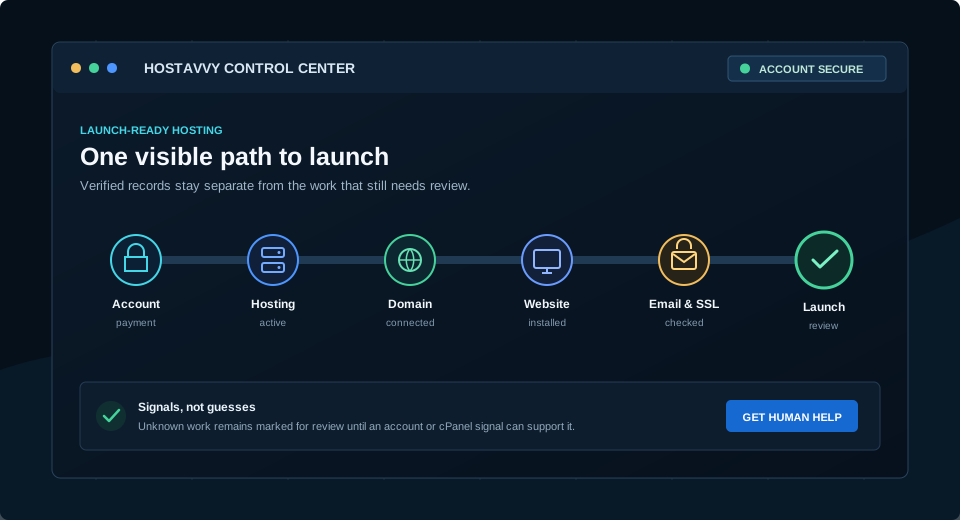
A visible path from account and payment through hosting, domain, website, email, SSL, and a final launch review.
Every verified state is tied to an account, invoice, service, domain, or signed-in cPanel signal.
01
Account & PaymentYour account, invoice, billing term, and payment stay visible in WHMCS.
02
Hosting ActiveYour selected limits and service state come directly from the hosting record.
03
Domain ConnectedRegister, transfer, or use an existing domain through the native order path.
04
Website Installed or MigratedUse native site tools or request scoped migration help when the account is active.
05
Email & SSL CheckedMailbox and certificate signals are reviewed in cPanel, never assumed from a plan list.
06
Launch ReviewA final checklist keeps the technical setup and the customer handoff together.
What Managed Means
Know which parts HostAvvy handles and which parts stay with the site owner.
Hosting foundation
Compare storage, bandwidth, website and mailbox limits, and account tools. Ask about recovery arrangements before relying on a hosting plan as your only backup.
WordPress care
Core-update care and WP Toolkit access do not include theme, plugin, custom-code, content, or license maintenance. Hands-on migration work is quoted separately.
Business ownership
The business retains appropriate administrator access, content decisions, third-party accounts, approvals, and independent recovery needs.
Need a WordPress site now?
Start with the website outcome, current environment, migration needs, editing workflow, and long-term owner. HostAvvy can recommend an appropriate available hosting path inside the website plan.