

After-Hours Lead Response Guide
Respond quickly without hiding who owns the conversation or letting automation make decisions it should not make.
After-hours response is not just an automated text. It is a controlled workflow connecting the inbound source, consent, customer expectation, basic qualification, CRM record, operator alert, next-business-day ownership, and a clear stop condition. The best system is useful even when the automation is unavailable.
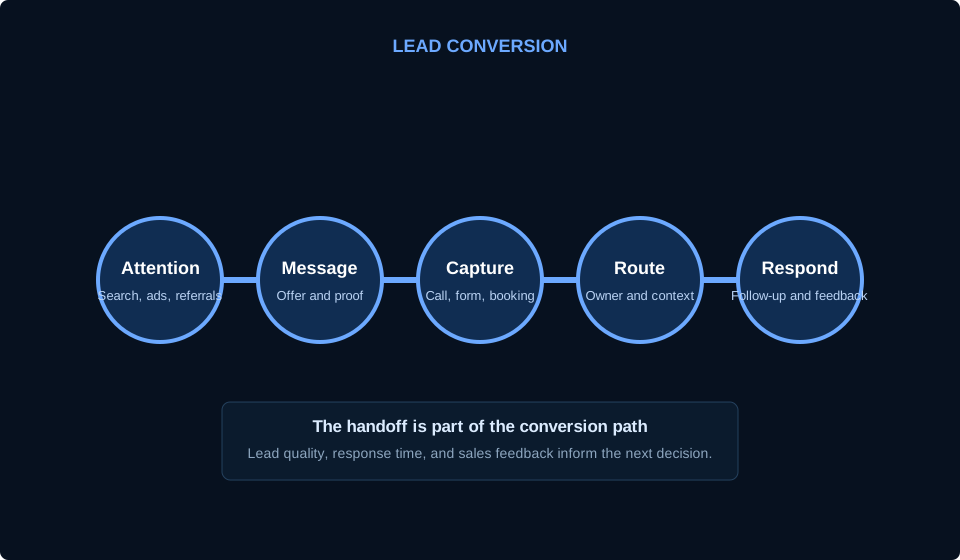
Map the current lead journey first
List every after-hours source: website forms, tracked and untracked calls, voicemail, chat, social messages, directory leads, email, and booking requests. For each source, document what data arrives, where it arrives, who can access it, and what happens today.
Measure practical failure points such as undelivered form email, calls without voicemail, duplicate CRM records, no owner, slow first response, unclear service area, or a promise the operating team cannot keep. Repair the basic handoff before adding more automation.
Source inventory
Record each lead source, provider, destination, data fields, consent language, and business owner.
Current response
Document immediate confirmation, alerts, assignment, next action, and what happens when nobody responds.
Failure modes
Test form delivery, phone routing, provider outages, duplicate submissions, invalid contact data, and escalation.
Set the right customer expectation
A confirmation should acknowledge receipt, identify the business, state that the message is automated when appropriate, and explain the next likely response window without inventing a guarantee. It should provide an urgent or emergency path only when the business actually operates one.
Collect only the information needed for the next decision. Service needed, location, preferred contact method, and a short description may be enough. Do not ask an automated assistant to make safety, legal, financial, eligibility, or binding pricing decisions.
Clear identity
The customer knows which business is responding and whether the message is automated.
Useful expectation
State the next step and realistic timing based on actual operating coverage.
Bounded questions
Gather practical routing context without collecting unnecessary sensitive information or making consequential decisions.
Design consent, routing, and human escalation
Review applicable messaging, call-recording, privacy, and platform requirements with appropriate professional guidance. Keep consent evidence, sender identity, opt-out handling, quiet hours, and frequency controls visible. A web form does not automatically authorize every future channel and message.
Define the human handoff: who receives the alert, how ownership is accepted, what happens after a timeout, and which topics bypass automation. Use least-privilege access for providers and integrations. Store credentials in a controlled system rather than inside workflow notes.
Consent record
Connect the source, disclosure, timestamp, channel permission, and opt-out status to the lead record where appropriate.
Named owner
Every qualified inquiry reaches a person, queue, or duty role with a visible acceptance and escalation path.
Human-only cases
Safety, disputes, sensitive data, custom pricing, complaints, and ambiguous requests move to a responsible person.
Test, measure, and improve the workflow
Run test leads through every source and branch using business-owned contact information. Verify the customer message, CRM record, attribution, duplicate handling, owner alert, opt-out, failure alert, and next-business-day queue. Repeat tests after provider, website, CRM, or phone changes.
Measure delivery, time to assigned owner, time to human response, missed handoffs, qualification reasons, booked outcomes where available, and customer complaints. Do not optimize only for the fastest automated reply. Optimize for a truthful response that reaches an accountable person.
Acceptance tests
Test normal, duplicate, invalid, opted-out, unsupported service, out-of-area, urgent, and provider-failure paths.
Operational measures
Track delivery, assignment, human response, resolution, lead quality, opt-outs, and failed branches.
Change review
Treat new scripts, providers, models, data fields, channels, and autonomy as changes that require review.
Use this before the next decision.
- Every lead source and destination is documented
- Immediate response sets a realistic expectation
- Consent and opt-out behavior are reviewed
- Questions stay within safe qualification boundaries
- Every lead receives a named human owner
- Sensitive cases bypass automation
- Failure alerts and manual fallback exist
- Test leads cover every important branch
- Reporting includes human response and lead quality
Related guides
Turn after-hours response into an accountable operating workflow.
HostAvvy can help map the current handoff, repair the weak points, and design a bounded automation path with human ownership.