

Home-Service Website Scorecard: 100-Point Check
Answer 20 practical checks and leave with a prioritized view of what is clear, what is missing, and what to test next.
This scorecard is a private self-review for owners and teams. Each checked item is worth five points. The number is not a grade, ranking prediction, or guarantee. Use it to find the next practical risk in the customer journey, then verify that item with a real device, a real test inquiry, and the people responsible for follow-up.
Check each item you can verify today.
Your selections stay in this browser tab and are not submitted to HostAvvy.
Fix anything that blocks a customer from understanding the offer, reaching the business, or receiving a response.
Use the score to choose an order, not to declare success
A low score does not mean the business is weak, and a high score does not mean the website produces qualified leads. The checks cover visible foundations and operational ownership. They cannot measure reputation, fulfillment, sales skill, market demand, or whether claims are true without deeper evidence.
Start with the first unchecked item that can block trust or contact. A broken form deserves attention before a new blog post. A domain nobody can recover deserves attention before a visual animation. A missing service explanation deserves attention before another generic city page.
Blocking issue
Fix failures that prevent understanding, contact, delivery, access, recovery, or lawful operation.
Confidence issue
Then improve proof, policies, ownership, expectations, and customer-facing clarity.
Growth issue
Only then expand pages, campaigns, experiments, or automation around a stable path.
Verify every checked item with evidence
Do not check a box because a plugin is installed or a provider dashboard says enabled. Submit a test form, inspect the received message, call from a mobile device, review the confirmation, verify account access, open the sitemap, validate structured data, and restore a backup in an appropriate test environment.
Keep screenshots, dates, owners, provider records, and follow-up notes for important controls. That evidence makes future changes safer and prevents a new vendor or employee from having to rediscover the system during an urgent problem.
Customer test
Use a realistic phone, browser, inquiry, and route while avoiding real customer data.
Owner test
Confirm who receives the result, who can act, and who handles a failure or exception.
Recovery test
Verify access, backups, rollback, provider contacts, and documentation before an emergency.
Review the score after meaningful changes
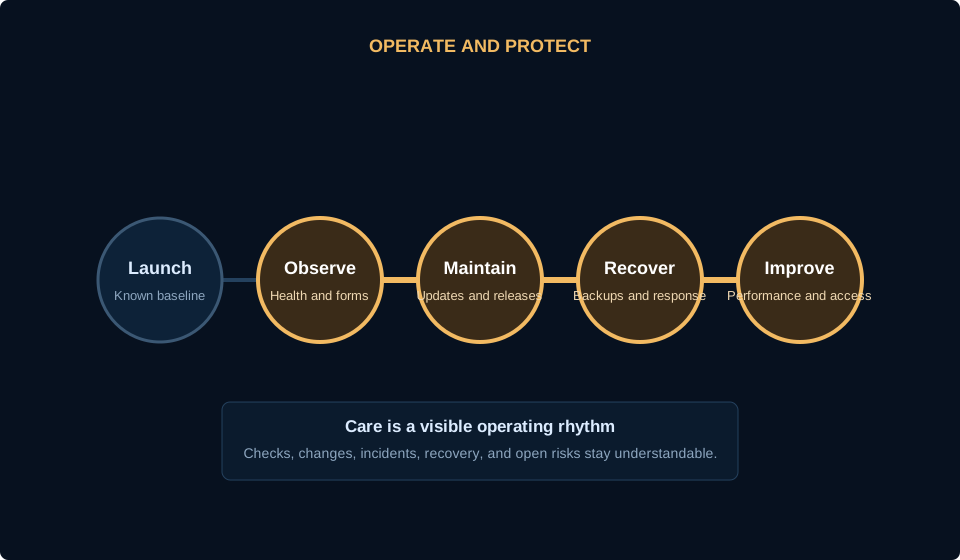
Re-run the scorecard after a redesign, migration, domain or email change, CRM connection, new campaign, staffing change, provider switch, major service expansion, or security incident. Update the underlying evidence rather than carrying old checkmarks forward.
For ongoing work, assign each section to a responsible person and review only what changed. The goal is a useful operating habit, not a recurring report that nobody reads.
Review trigger
Tie the next review to a real launch, provider change, business change, or planned quarterly check.
Named owner
Give each unresolved item one responsible person and a realistic next action.
Closed loop
Record the test result, decision, change, and date the item was verified again.
Use this before the next decision.
- Save or print the current score for internal use
- Mark each unchecked item as blocker, confidence, or growth work
- Assign one owner to the first priority
- Run the customer path on a real phone
- Submit a safe test inquiry
- Verify domain and account recovery
- Record the evidence and review date
- Re-run after the next meaningful change
Related guides
Turn the first unchecked priority into a practical plan.
Use the HostAvvy planner when the website, visibility, lead path, care, and follow-up need to be considered together.